Controls, input and settings
Controller support, keyboard play, Steam Input, volume channels and the language switch you have to make before starting a save in Village in the Shade.
The game ships with full controller support and DualSense/DualShock glyphs, so plug in a pad and the game follows it. Language is picked per save file at new game, not in the options menu.
Two settings decisions in this game are permanent for a save file, and both are easier to make before you press Start. Everything else is ordinary input work.
Set the language in Steam, not in the game
The official notice from 14 August 2026 is blunt: once the game has launched, the display language cannot be changed in-game, and the setting is stored per save file.
- Open your Steam Library, right-click Village in the Shade, choose Properties.
- Open the Language tab.
- Pick your language from the drop-down.
- Launch the game.
If the game does not support the language you picked, it falls back to Japanese. Since Patch 1.30 the supported list is Japanese, Korean, Traditional Chinese, Simplified Chinese, English, French and Spanish (Spain).
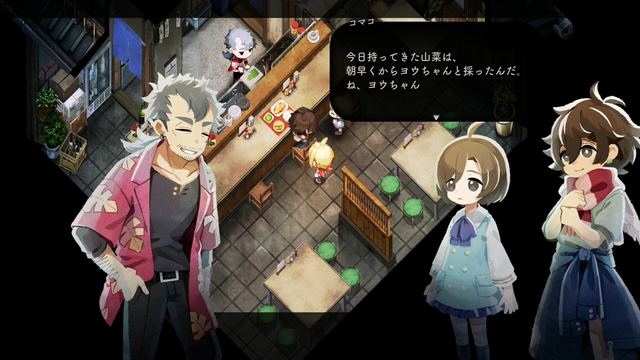
Already playing and want to switch? You cannot switch that file. Start a new game in an unused slot: choose Start, pick an empty slot, answer Yes to the confirmation, then answer No (the right-hand option) to the Japanese prompt warning that language cannot be changed after starting, and the language menu opens. If every slot is full, delete one first.
Controller and keyboard
The store page lists full controller support, plus DualShock and DualSense support, so PlayStation glyphs are native rather than mapped through Steam Input. A pad is the better way to play: the game is built around analogue movement and a lot of short taps.
| Input | What is documented |
|---|---|
| Controller | Full support, DualShock 4 and DualSense glyphs |
| Keyboard | Supported; key bindings are set in-game |
| Steam Input | Not required for PlayStation pads |
| Volume | Separate in-game channels, adjustable individually |
What is not documented anywhere official is a printed default key map, so the honest advice is: open the in-game key configuration once, look at what is bound, and rebind anything that fights your hands. Patch notes for 31 July 2026 exist specifically because key config settings were not saving properly at launch — if you are on a current build, your bindings persist.
Saves and backups
Patch 1.09 added the feature people actually needed: a single save slot now keeps up to five previous saves. The catch is in the patch text — it only applies to saves created after 1.09 is installed.
- Keep one slot free as a manual backup before a story-heavy night.
- Before any long festival day, save in a second slot.
- If you are replaying for a different mode, keep the two runs in separate slots rather than overwriting.
Settings worth changing on day one
- Text speed to fast; the dialogue is the story.
- Volume channels — music is a large part of the presentation (38 tracks, composed by Kazuya Takasu and ZIZZ STUDIO), so do not mute it entirely.
- Frame rate cap if you are on a very high refresh display and an event refuses to fire; Patch 1.04 fixed a progression block tied to running above 60 FPS.
Next
- Game facts — price, platforms and the patch you should be on.
- Performance and settings — if the village runs rough.
- Known issues — the bugs that still catch people.